Overview
This guide explains how to integrate your FairConsent account with Orange Logic DAM (OL) to automatically sync collected consents into your organization’s OL instance.
Before you begin
Make sure:
- You have an active FairConsent subscription.
- You have admin access to your Orange Logic instance.
- You have the following OL configuration values ready:
- Base URL
- Access Token
- Folder Record ID
- Namespace for metadata fields
Step 1 – Go to Integrations
- Log in to your FairConsent Platform.
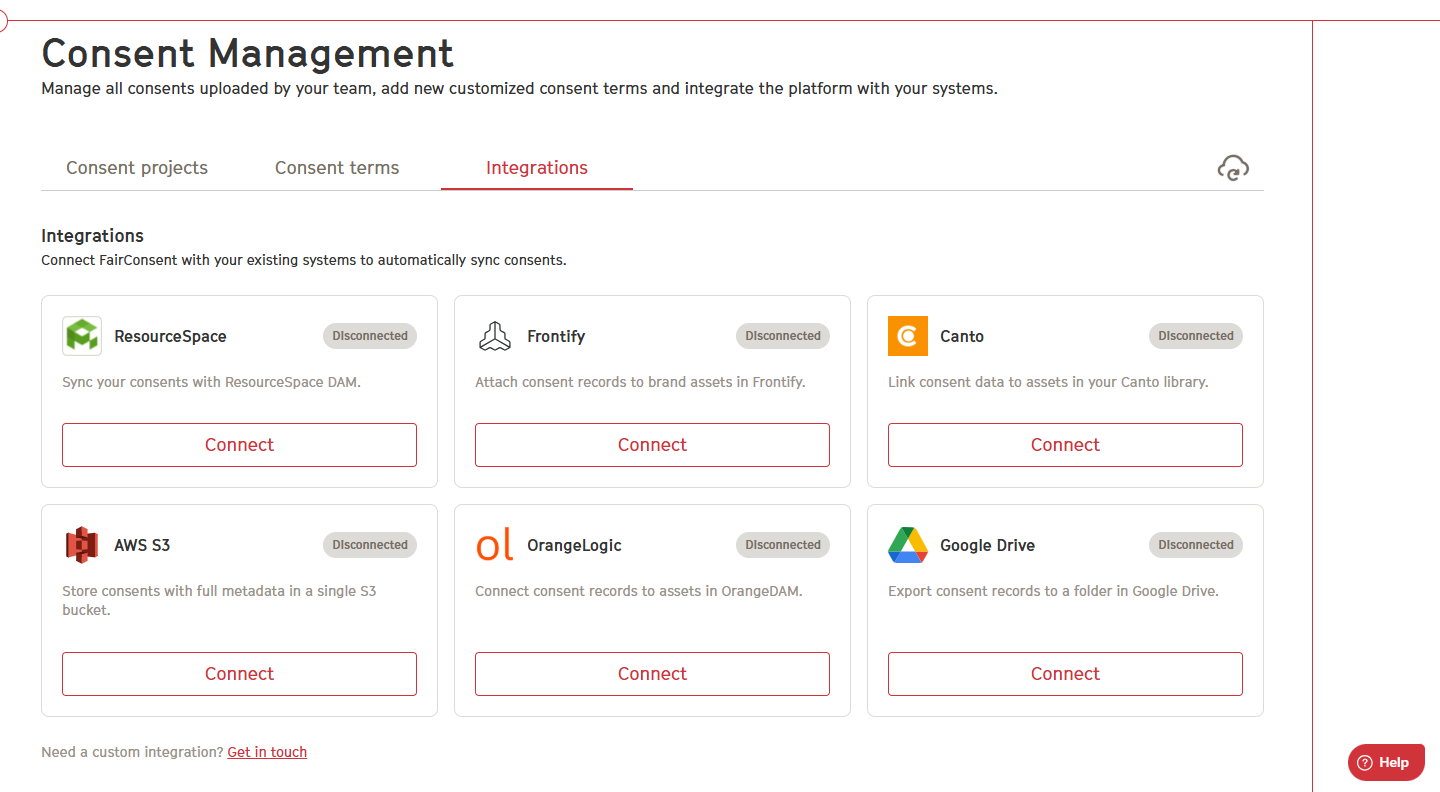
- From the left menu, navigate to Consent Management → Integrations.
- In the integrations list, find Orange Logic and click Configure.
Step 2 – Enter your Orange Logic credentials
In the Orange Logic configuration window, fill in the required fields:
Base URL
The URL of your OL instance (e.g., your-org.orangelogic.com).
Access Token
A token generated in your OL admin panel, used to authenticate API requests.
Folder Record ID
The specific folder in OL where FairConsent will upload the metadata and files.
Namespace
The namespace used for your metadata fields in OL
(e.g., "fairconsent" or your custom namespace).
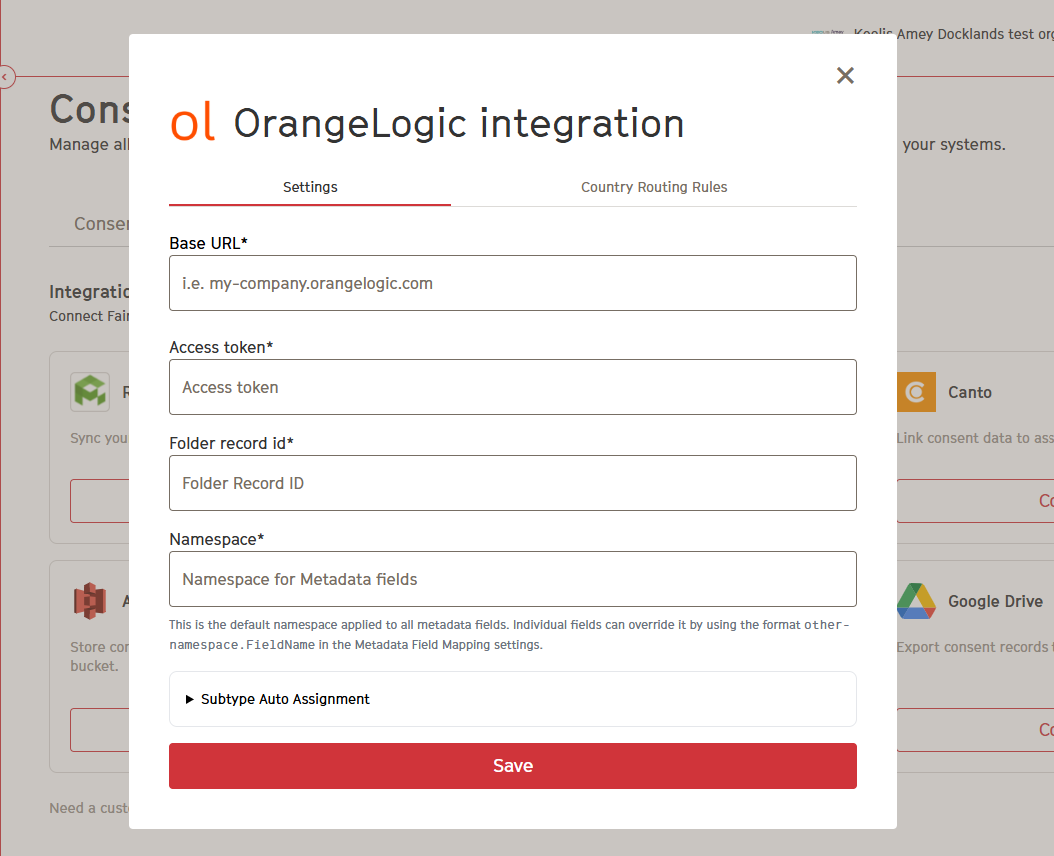
After entering all fields, click Save.
Step 3 – How the Sync Works
Once connected:
- FairConsent sends the consent PDF + metadata to the specified Folder Record ID inside your OL instance.
- Metadata is applied to the record under the provided namespace.
- Each new consent is delivered as a new record in OL.
In FairConsent, consent is typically collected from the consent giver and shared as a PDF document. However, an audio consent option is also available. With this option, the consent giver can record their consent as an audio file, and both the PDF and the audio recording will be sent and stored in Orange Logic.
Troubleshooting
Incorrect Base URL
Make sure your instance URL does not include /api or any trailing path.
Authentication errors
Verify that your Access Token is valid and has the correct permissions.
Metadata not appearing
Confirm that the Namespace matches the metadata fields configured in OL.
Consents not showing in the folder
Check that:
- The Folder Record ID exists
- The authenticated token has permission to write to that folder
Need help?
Contact us at: fairconsent@fairpicture.org
Video Tutorial
https://drive.google.com/file/d/1XlIw3ldHOCCBFaBZsumBvmPZZsj7hIiG/view?usp=sharing
Was this article helpful?
That’s Great!
Thank you for your feedback
Sorry! We couldn't be helpful
Thank you for your feedback
Feedback sent
We appreciate your effort and will try to fix the article