The FairConsent app allows individual users to create and use fully customized consent terms tailored to their specific projects, activities, or legal requirements.
Custom consent terms give you greater flexibility by allowing you to replace the default consent text with your own wording, ensuring that consent givers receive information that is relevant to your intended use of their data, images, audio, or video content.
Access the Settings Menu
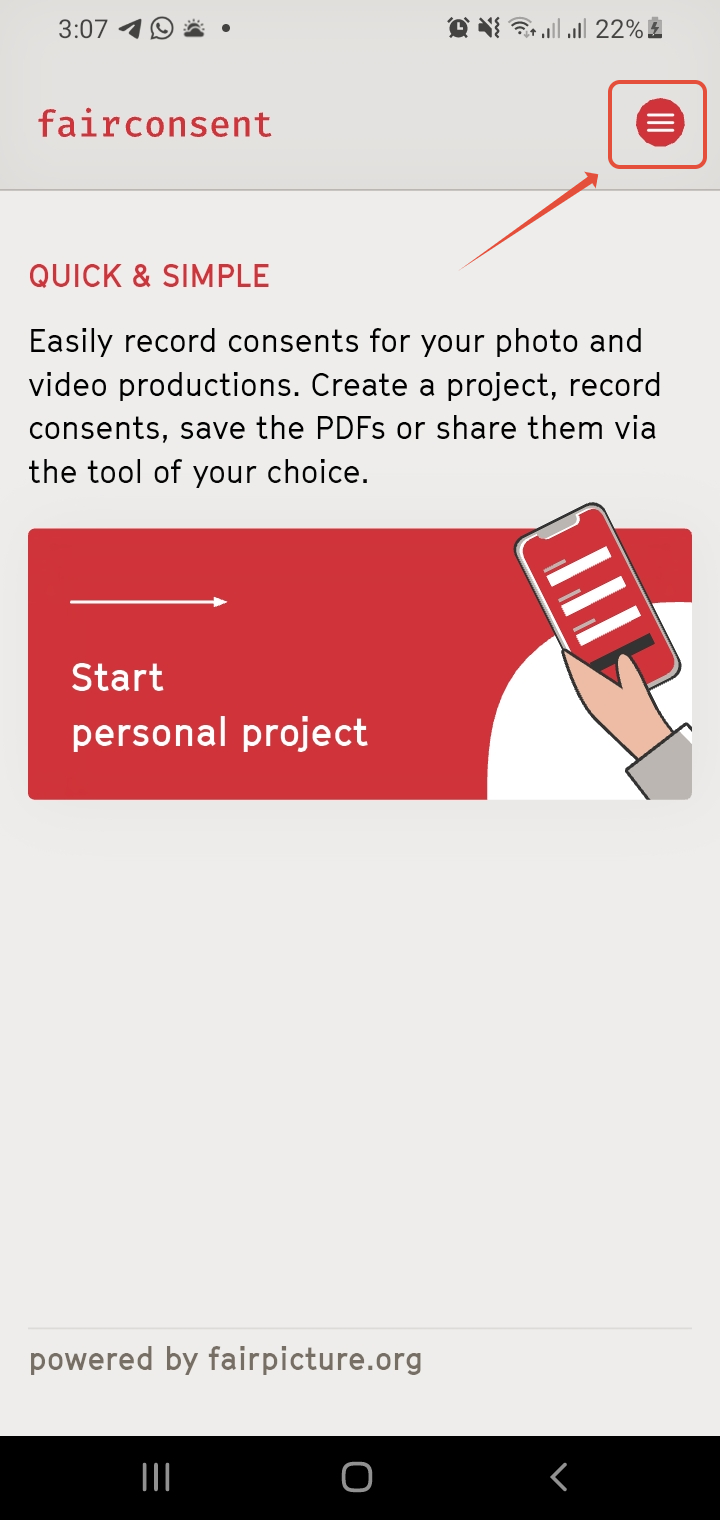
- Go to Settings Menu on the top right.
- Tap on “Manage Custom Consents”
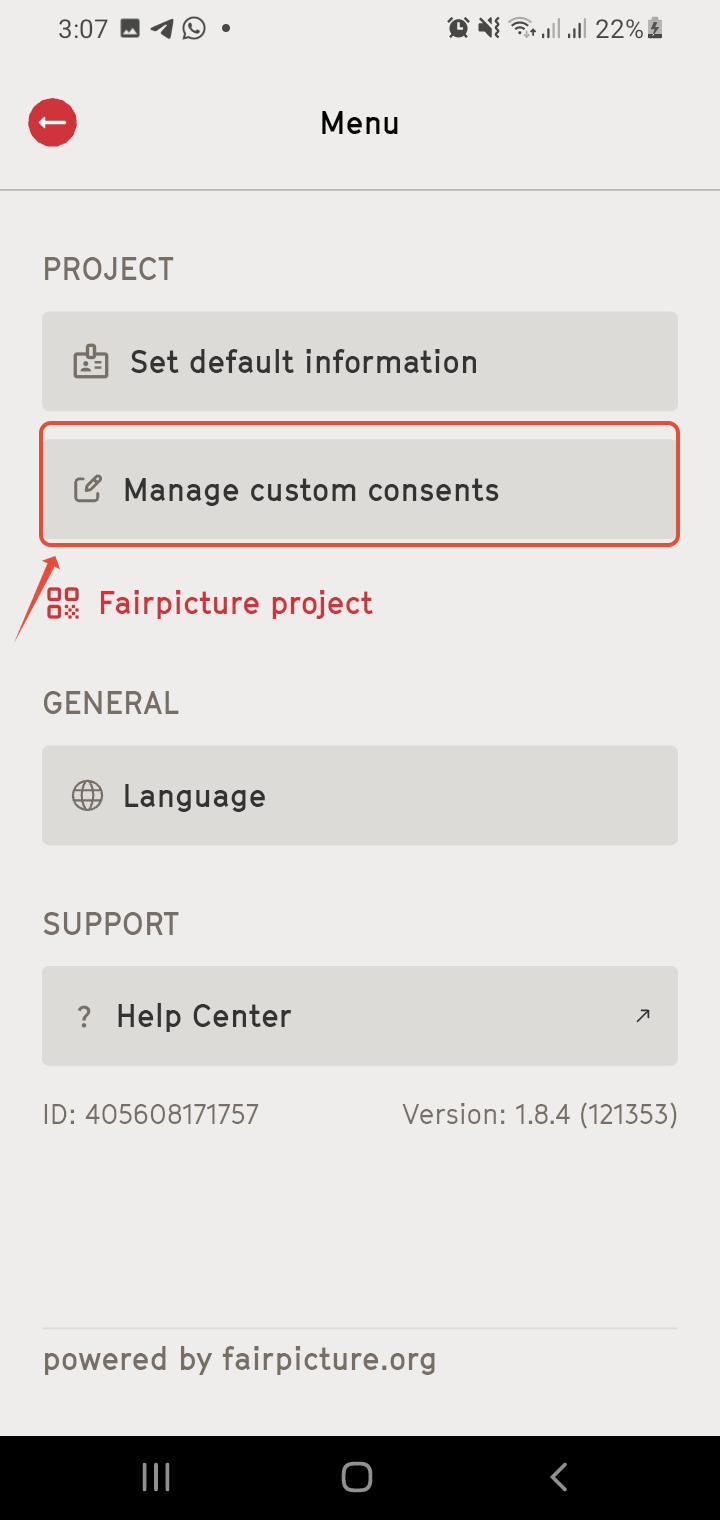
Note: The Settings menu is only available on the app when there is no ongoing project. If a project is in progress, it must be completed first to access the Settings. Learn more about Navigating the App
Add New Consent Terms
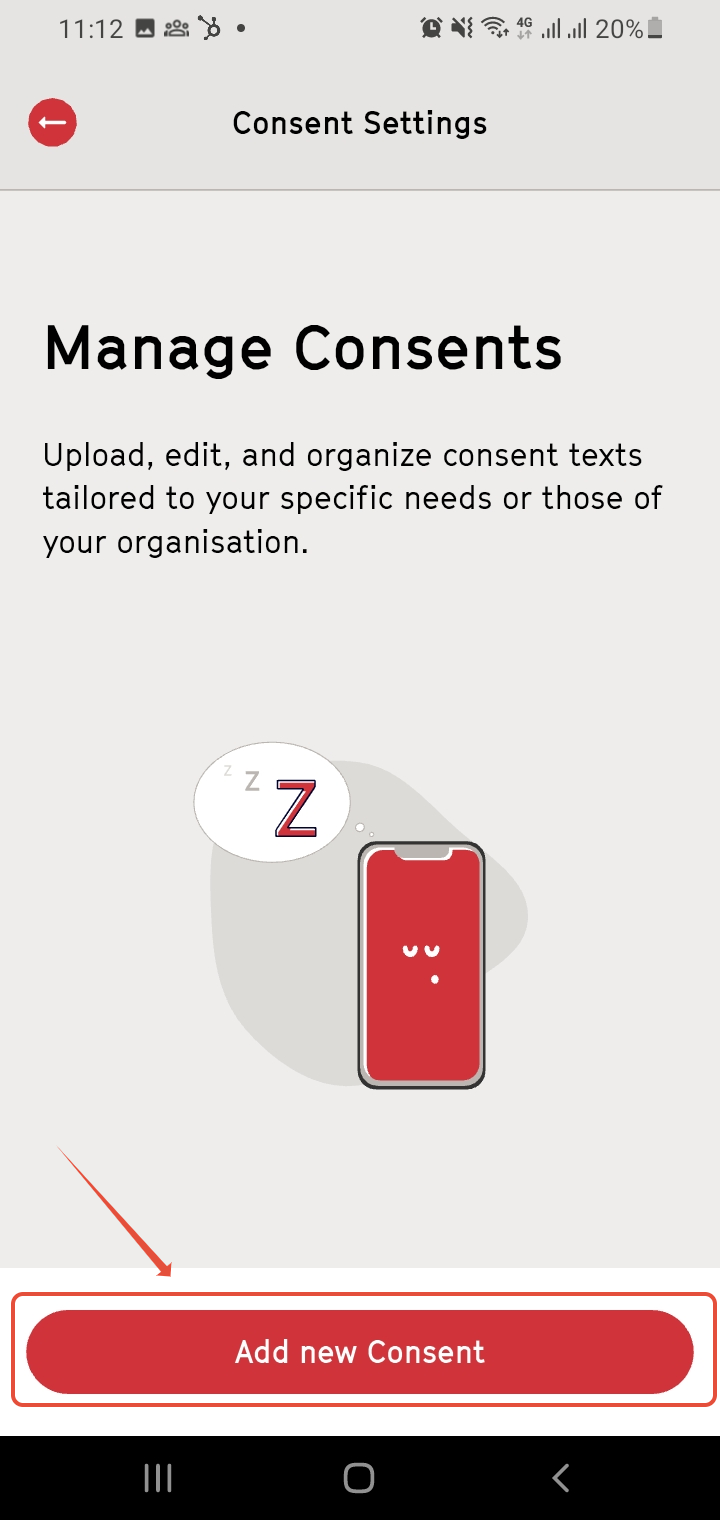
- Tap “Add new Consent”
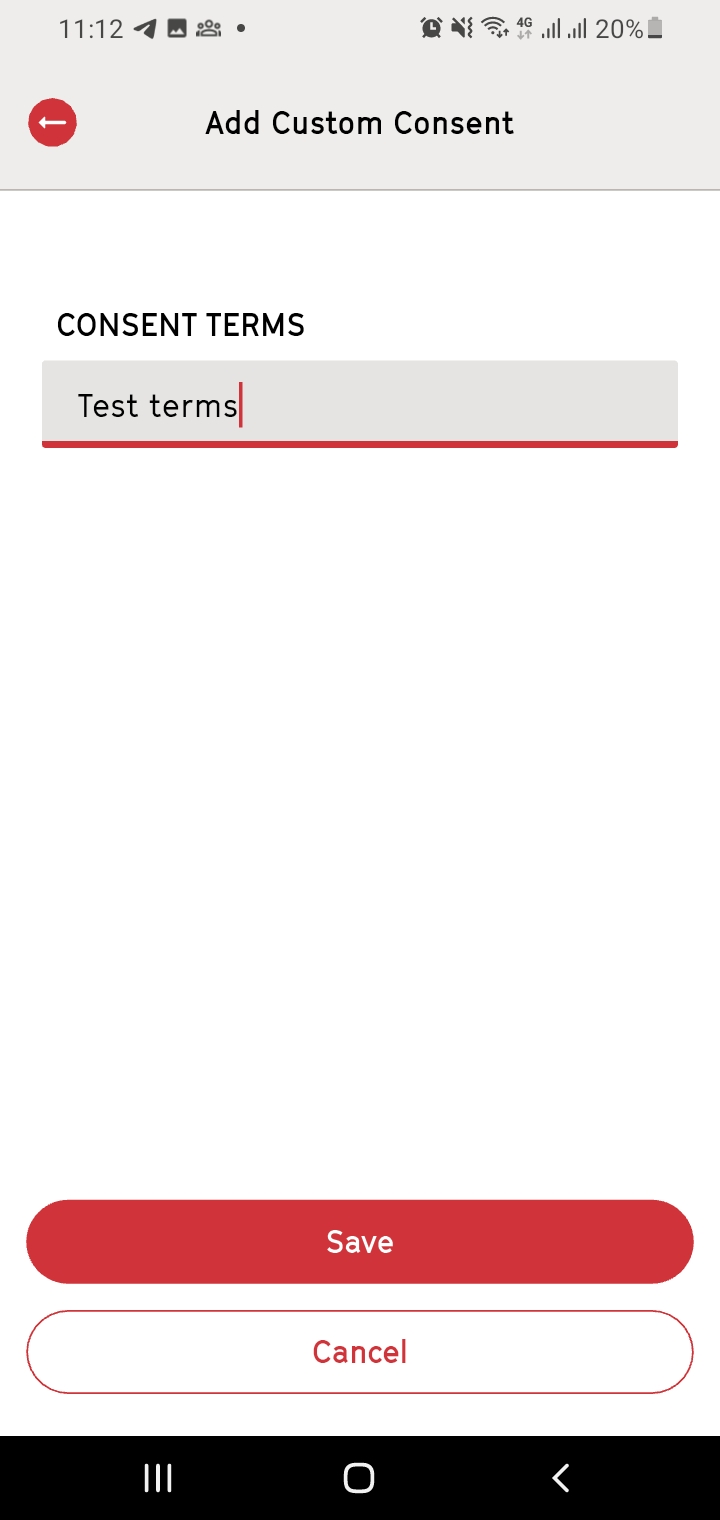
- Enter a name for your customized consent (e.g., project name or specific purpose) and tap on Save
Add Consent Terms
You can customize your consent terms by adding either a text version or an audio version, depending on how you want consent information to be presented to consent givers.
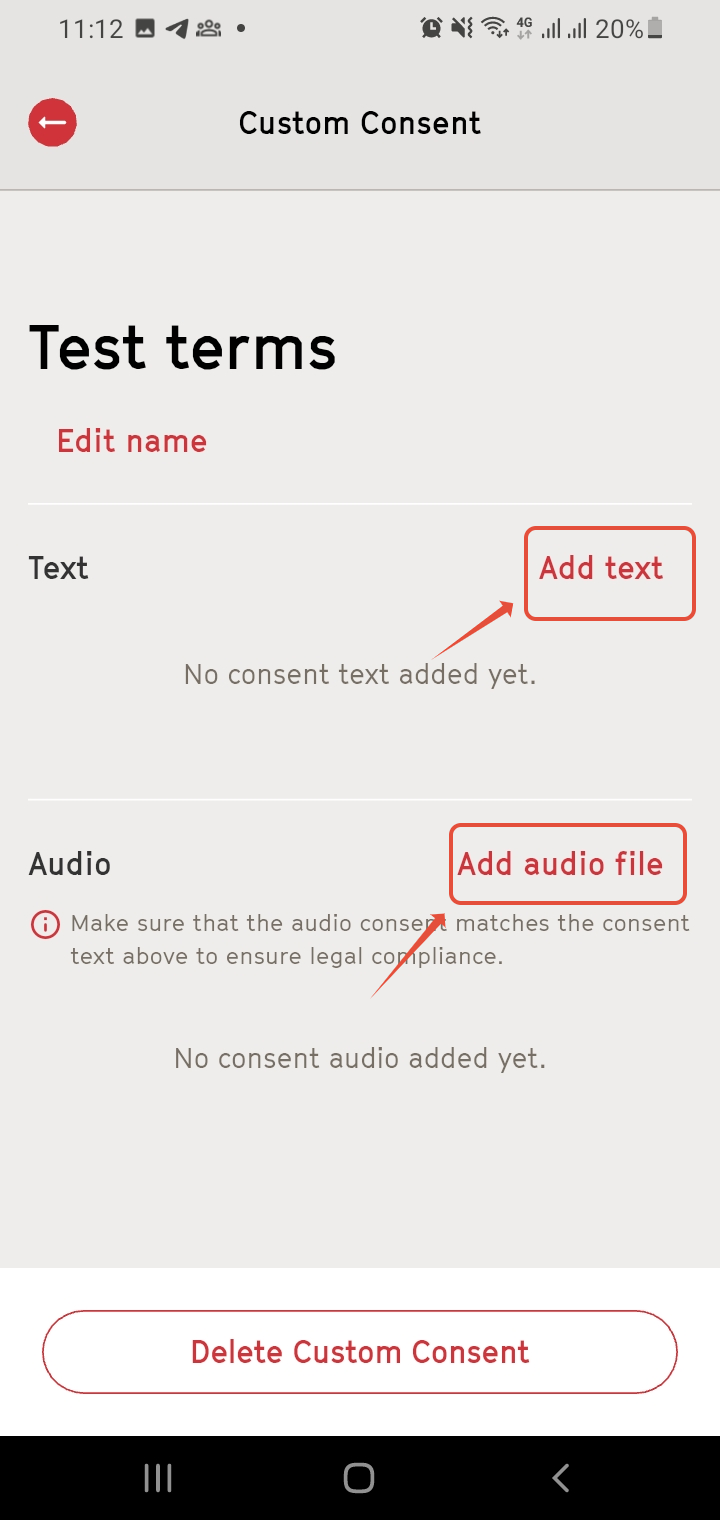
Text options
- Click "Add text"
Add your consent text by either:- Uploading a PDF file, or
- Writing the text directly in the app and uploading a logo (optional).
Confirm with "Save text"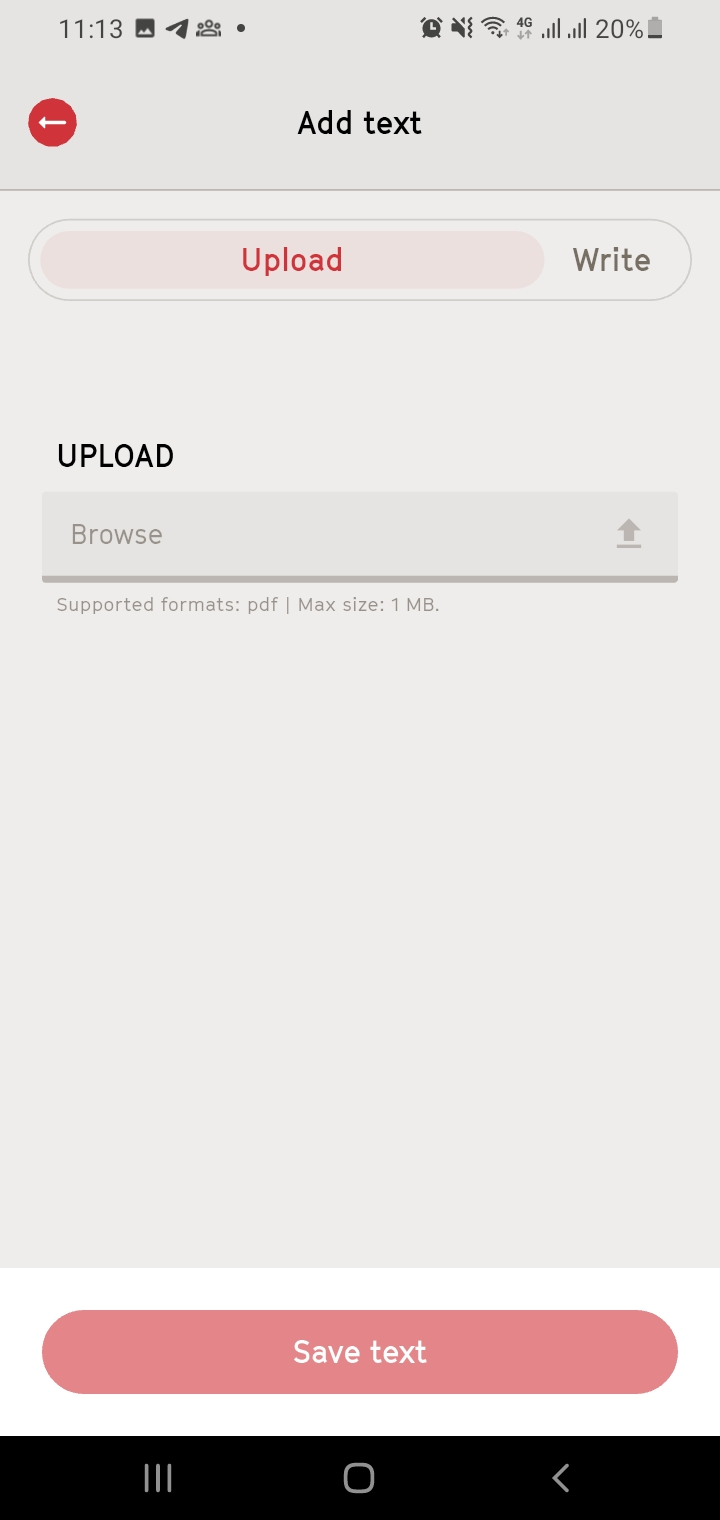
Audio Options
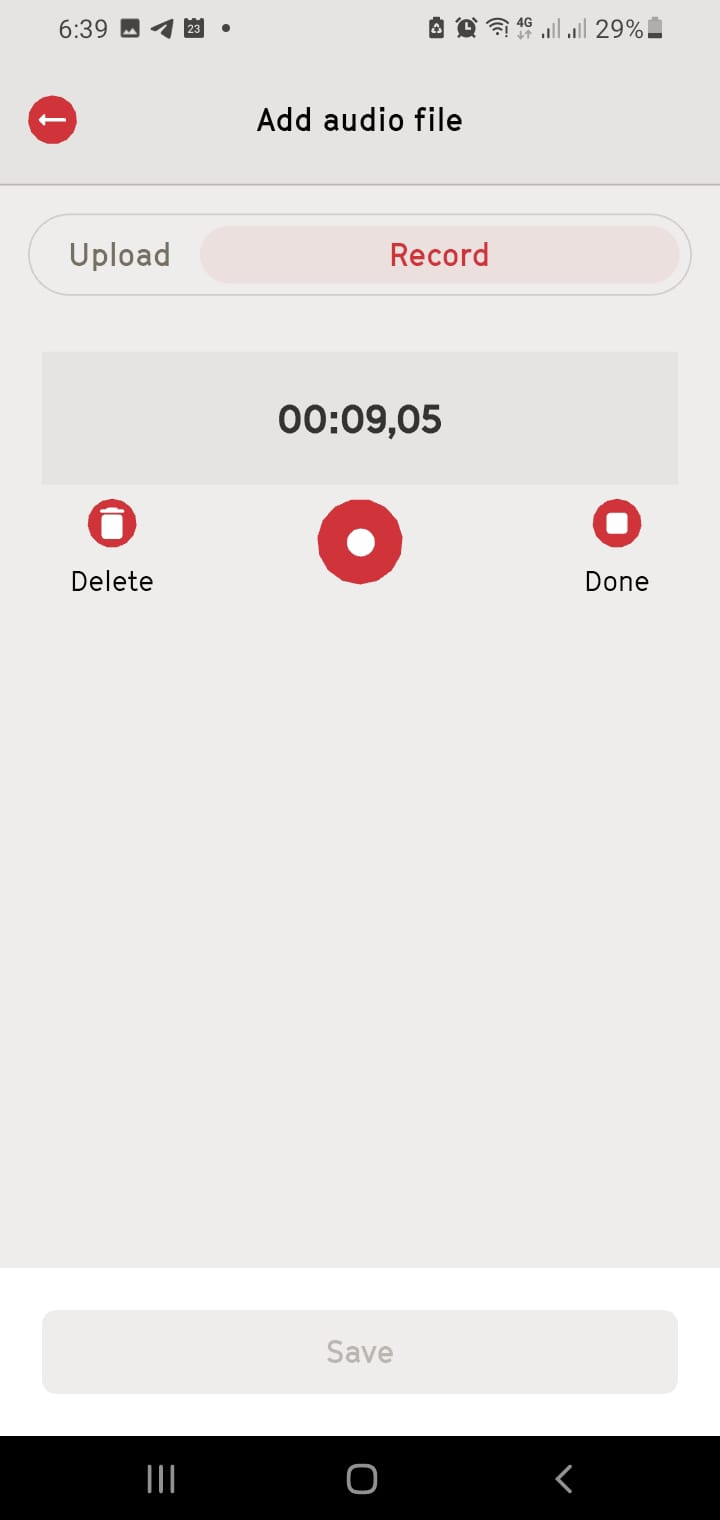
- Click "Add audio file"
- Upload an audio file (e.g., mp3), or
- Record audio directly in the app.
- Confirm the recording by tapping Done then Save once you’ve finished.
- Tap "Save" to store the audio file.
Edit or Delete Existing Consent Terms
- Edit:
To modify existing terms, select the consent you wish to edit from the list in the Consent Settings, make the necessary changes, and save. 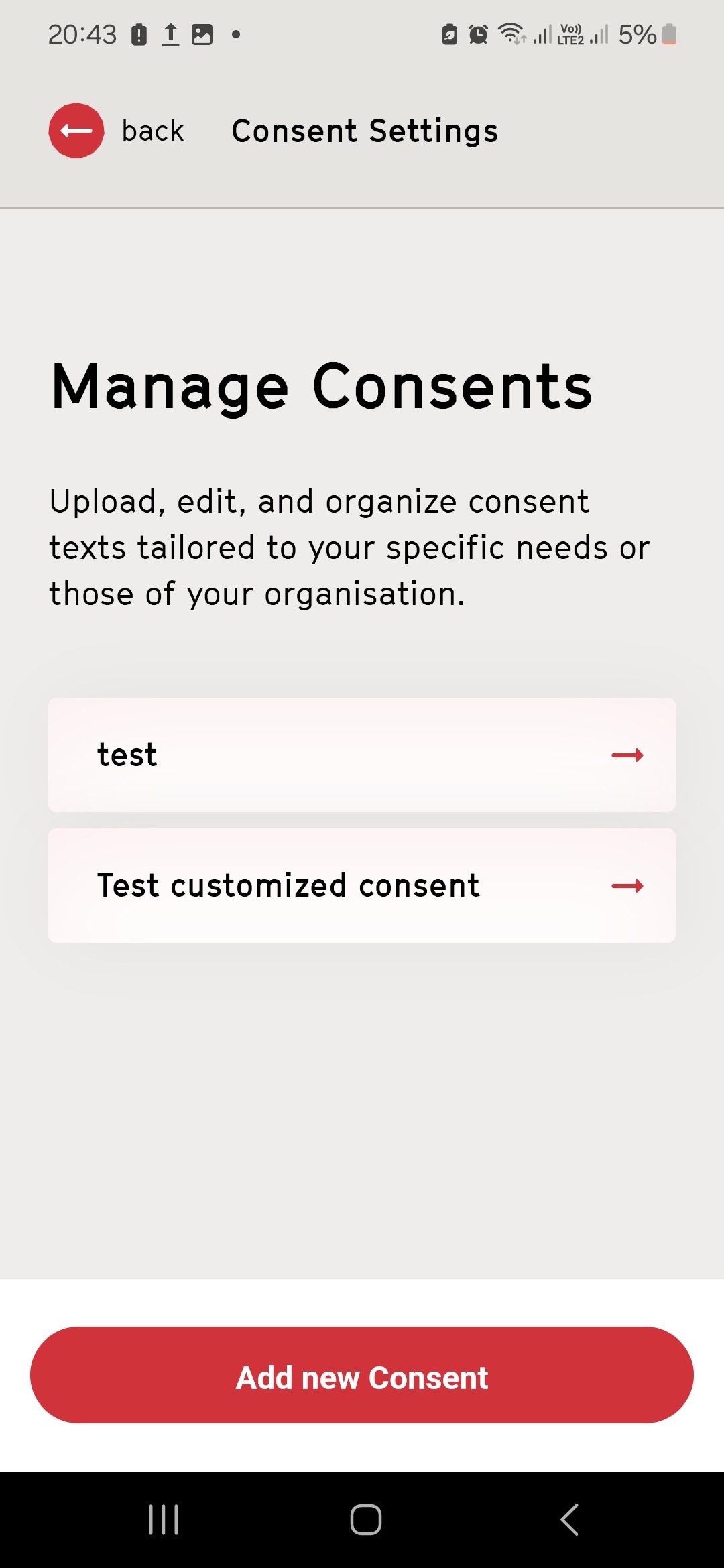
- Delete:
If you no longer need a consent term, tap the "Delete Custom Consent" button at the bottom of the consent details screen.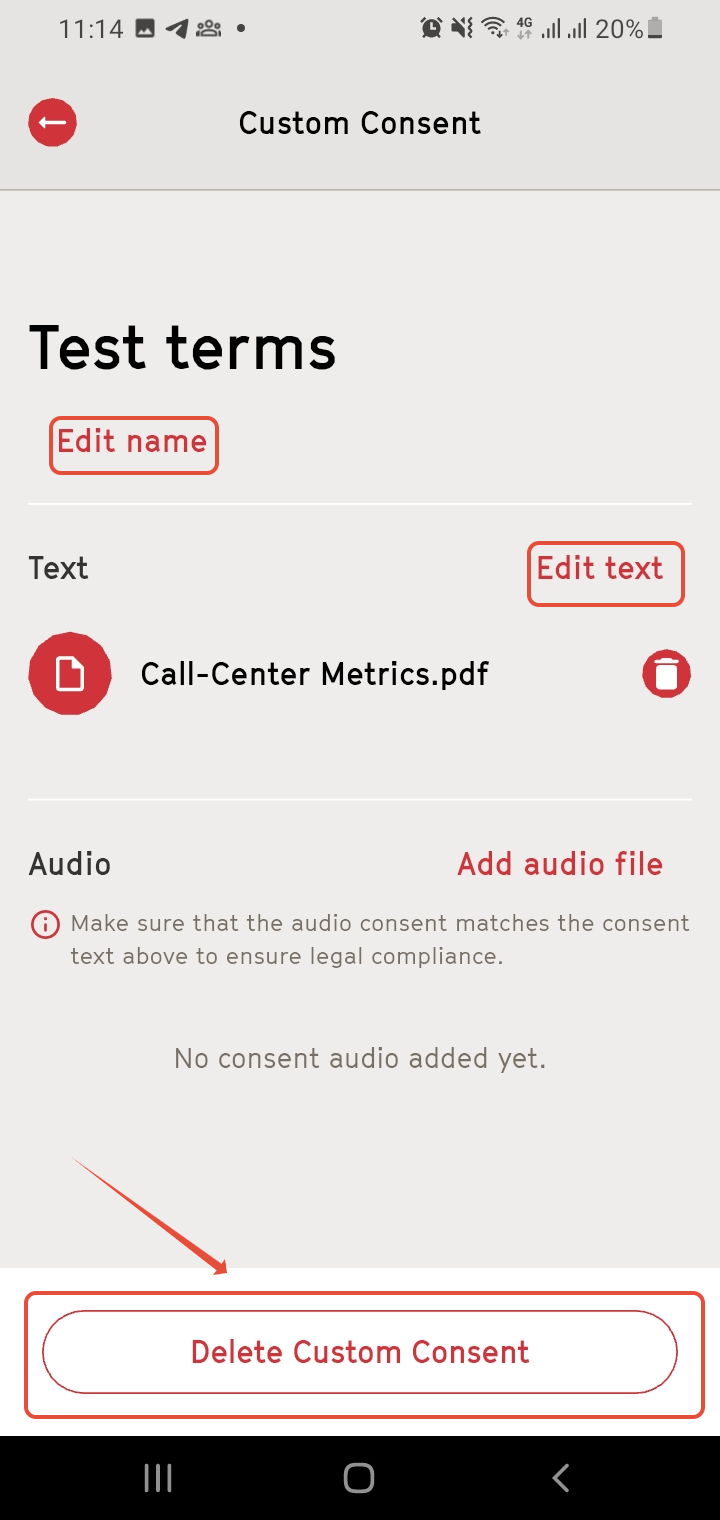
Use Customised Consent Terms
- Once saved, your customised consent terms can be selected while recording consent for any project.
Simply choose the relevant terms during the consent process or the Project Overview.
Important Notes
- Customized consent terms provide flexibility to match legal, cultural, or organizational requirements.
- Ensure all edits or additions are saved before starting a new project.
Need More Help?
For any questions or support, reach out us at customersupport@fairpicture.org
Was this article helpful?
That’s Great!
Thank you for your feedback
Sorry! We couldn't be helpful
Thank you for your feedback
Feedback sent
We appreciate your effort and will try to fix the article