With the introduction of Centralized Consent Projects (CCP), projects can be created and managed directly from the FairConsent Platform. In Phase 2, organizations now have additional flexibility by allowing collectors to create projects directly from the mobile app when permitted by an Admin or Owner.
This feature is optional and must be enabled by an Admin or Owner before collectors can access it.
Once enabled and after updating the app to the latest version, collectors will see a Create New Project option within the FairConsent app.
Learn more about the Centralized Consent Projects
How It Works
By default, project creation remains controlled through the platform.
When In-App Project Creation is enabled:
- Collectors and all the users can create projects directly from the mobile app
- Projects are automatically linked to the organization
- Collectors can immediately begin recording consents
- Project completion remains restricted to Admins and Owners through the platform
Step 1 – Update the App
Before using this feature, all users should update their FairConsent app to version 1.8.3.
Updating ensures access to the latest features, improvements, and security updates.
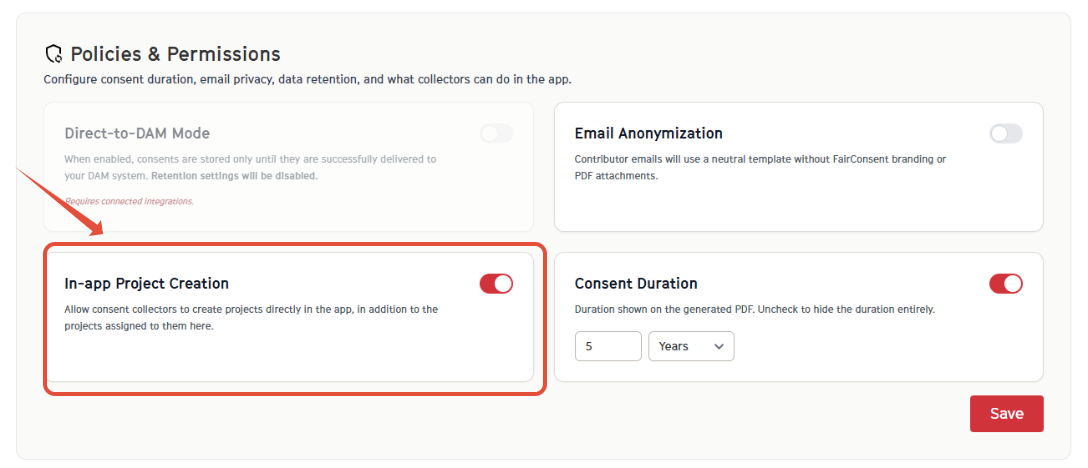
Step 2 – Enable In-App Project Creation (Admins & Owners)
To allow collectors to create projects from the app:
- Open the FairConsent Platform
- Navigate to App Settings
- Scroll down to Policies & Permissions section
- Enable In-App Project Creation
- Click Save
Once saved, users will receive access to the feature after refreshing the app.
Step 3 – Create a Project in the App (Collectors)
After the feature has been enabled:
- Exit any currently open project
- Close and reopen the FairConsent app
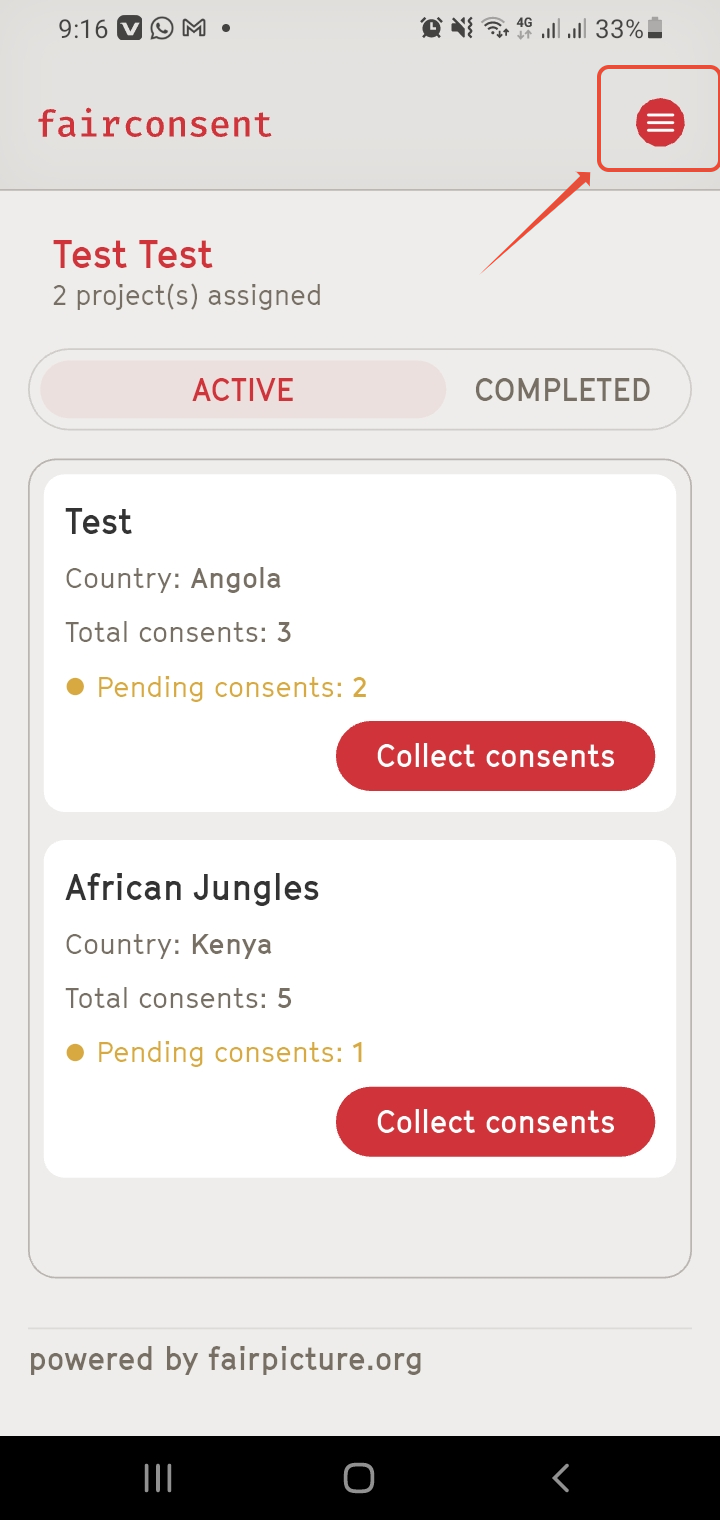
- Tap the Menu icon in the top-right corner
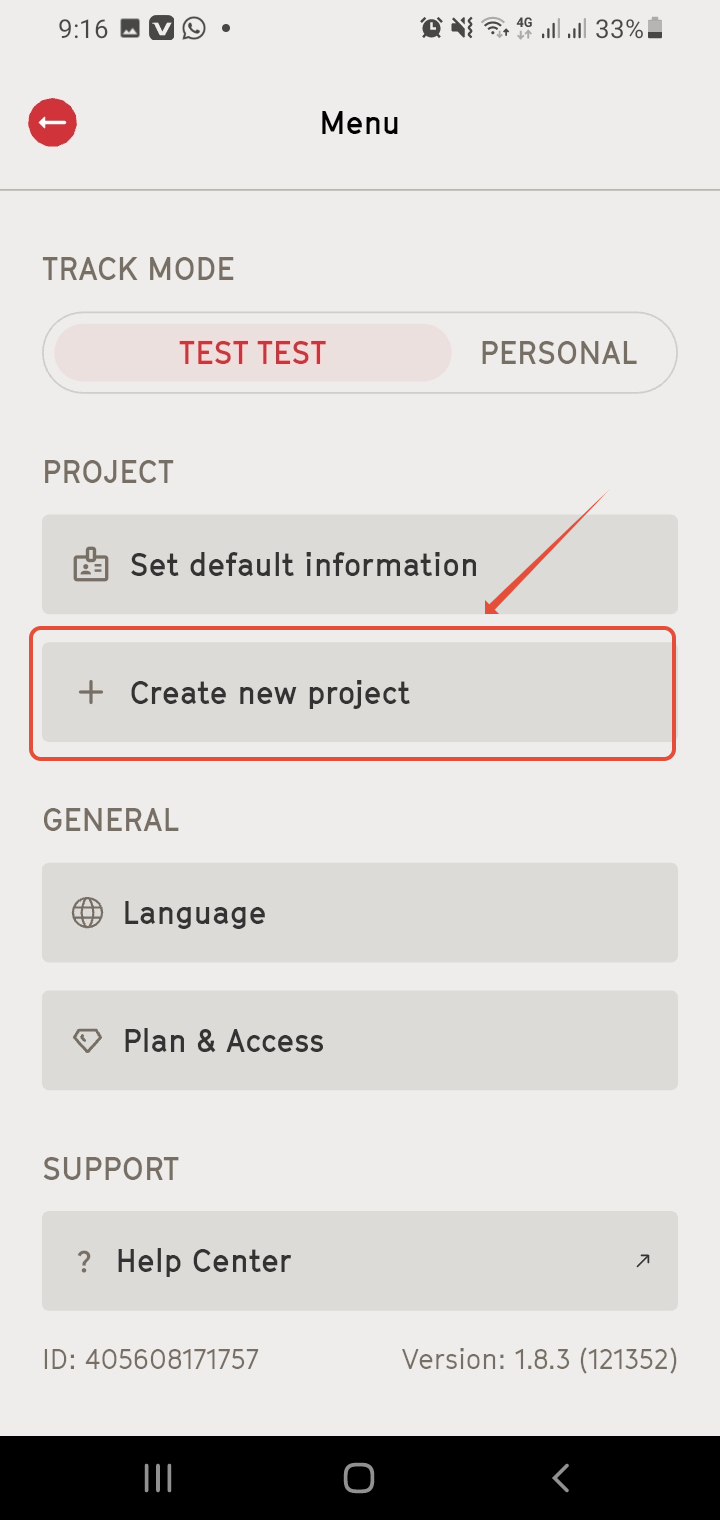
- Select "Create New Project"
- Complete the required project details
- Tap "Create Project"
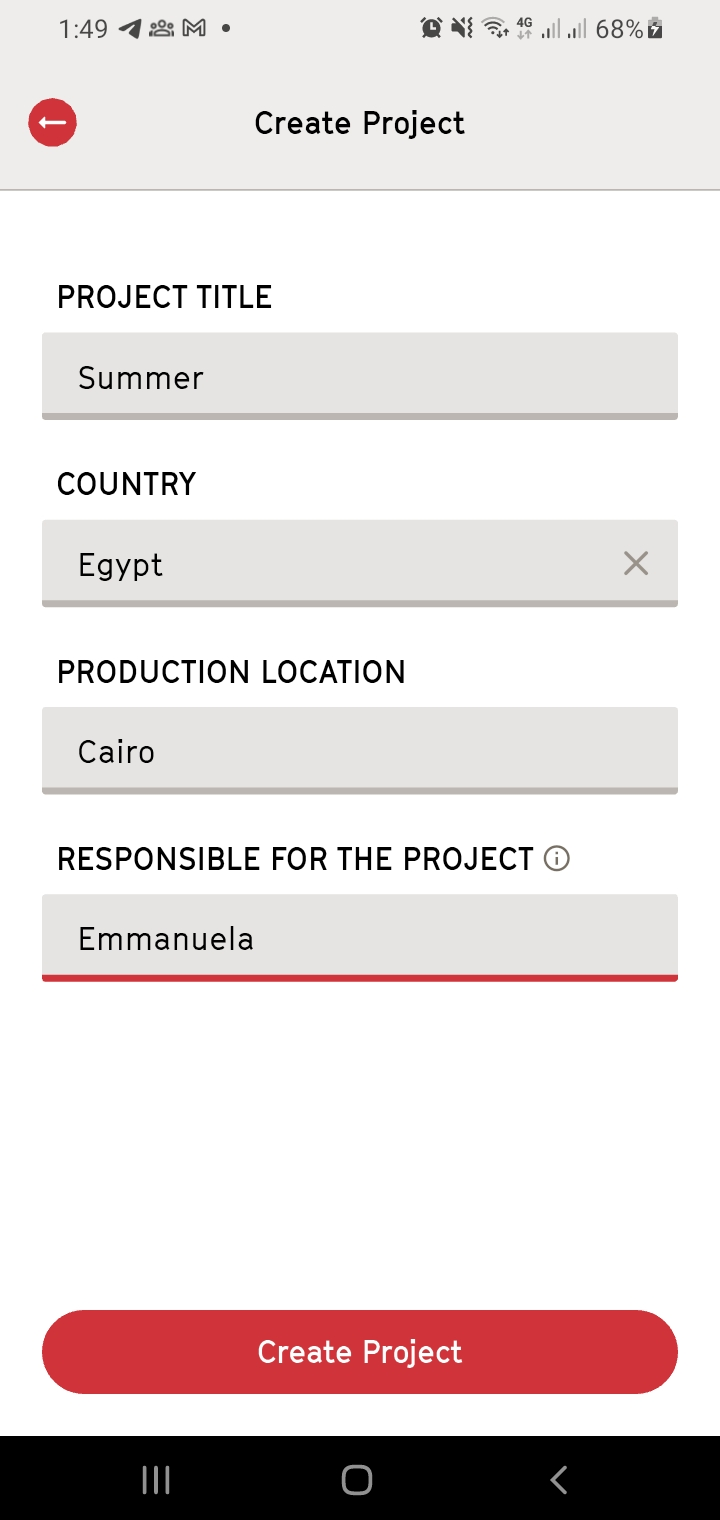
The project will be created and ready for consent collection. You can then begin recording consents as normal.
Edit and Update a Project
You can manage and update project information directly from the FairConsent app.
Delete a Project
Projects can be deleted only if no consents have been recorded yet.
To delete a project:
- Open the "project overview".
- Navigate to the menu at the top right.
- Select "Delete Project".
- Confirm the deletion.
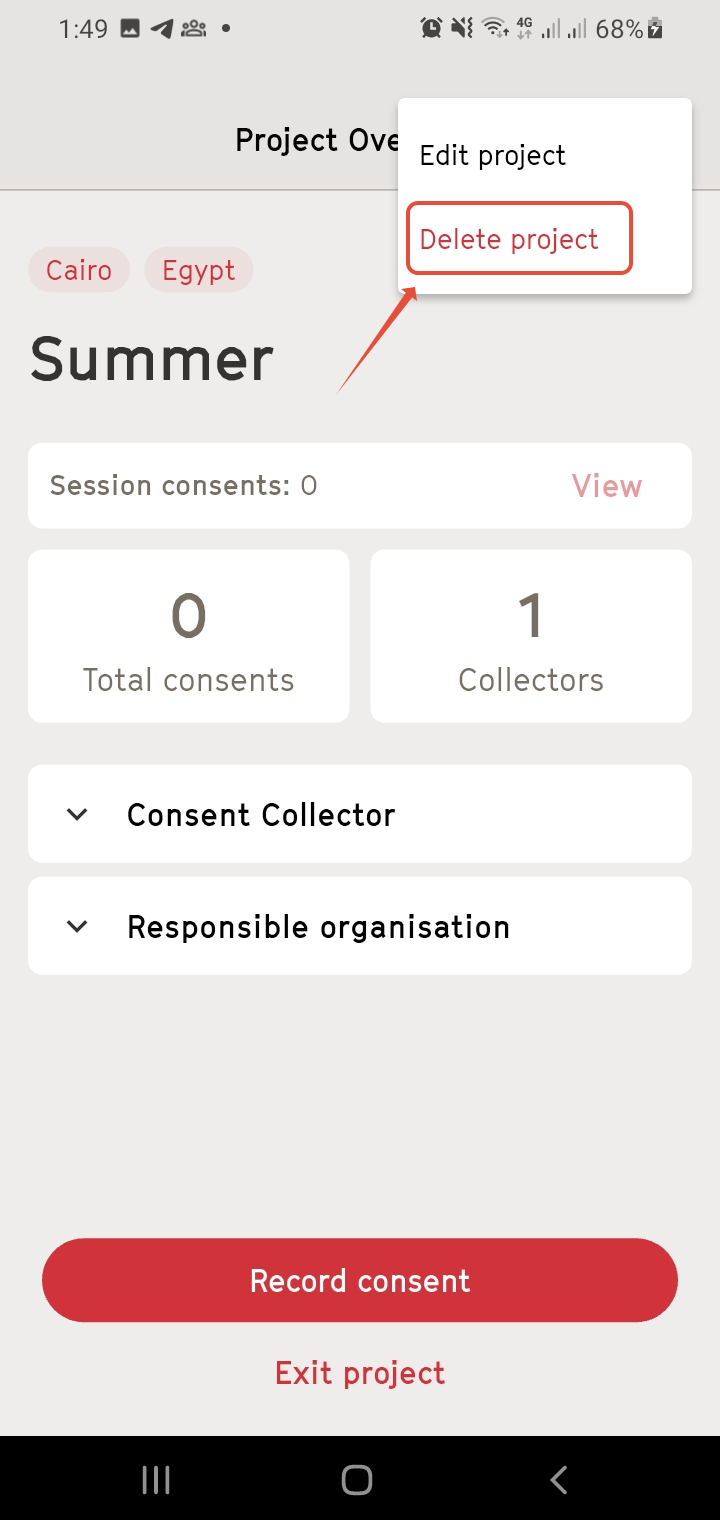
Note: Once a consent has been recorded in the project, the delete option is no longer available to prevent accidental loss of collected data.
Edit Project Information
Before a consent is uploaded to the platform, collectors can review and update the recorded information.
To edit a consent:
- Open the "project overview".
- Click "Edit Project"
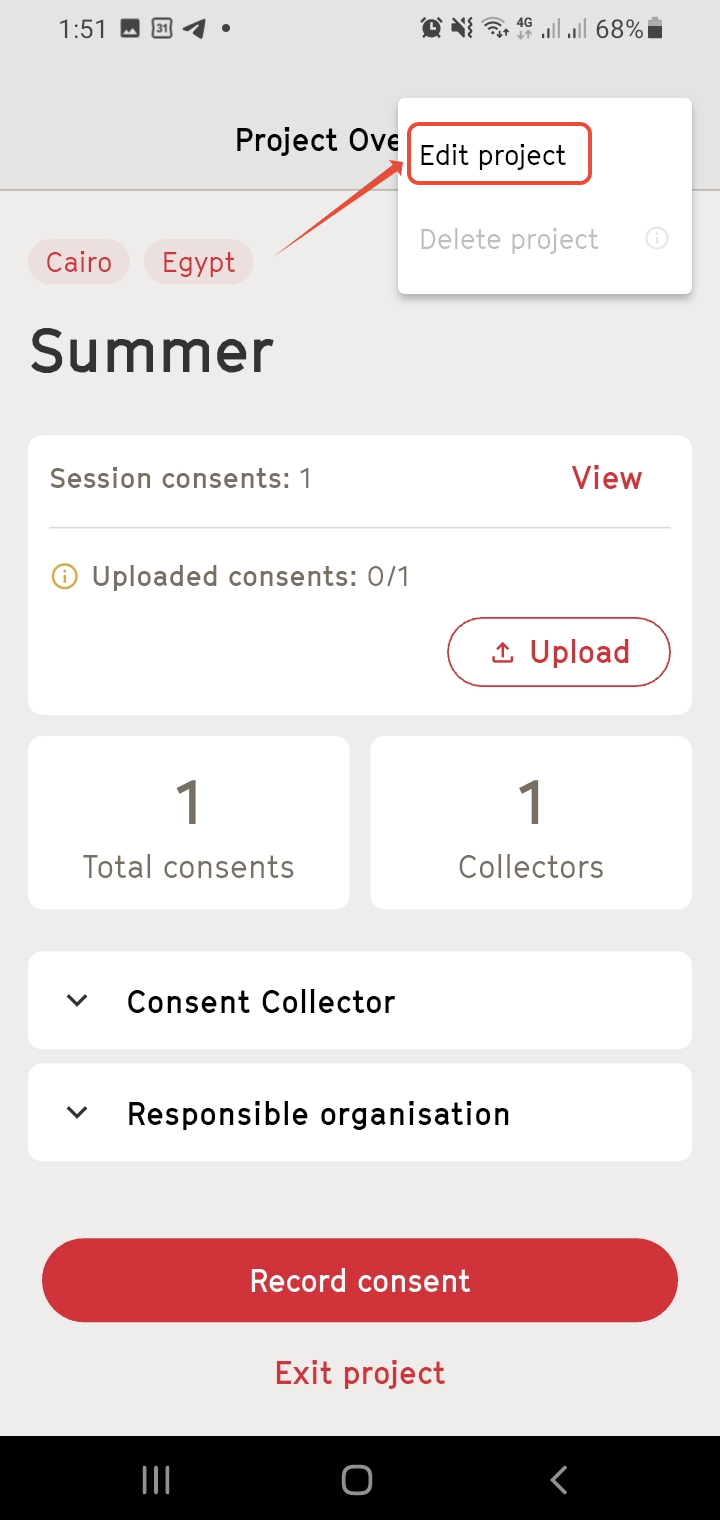
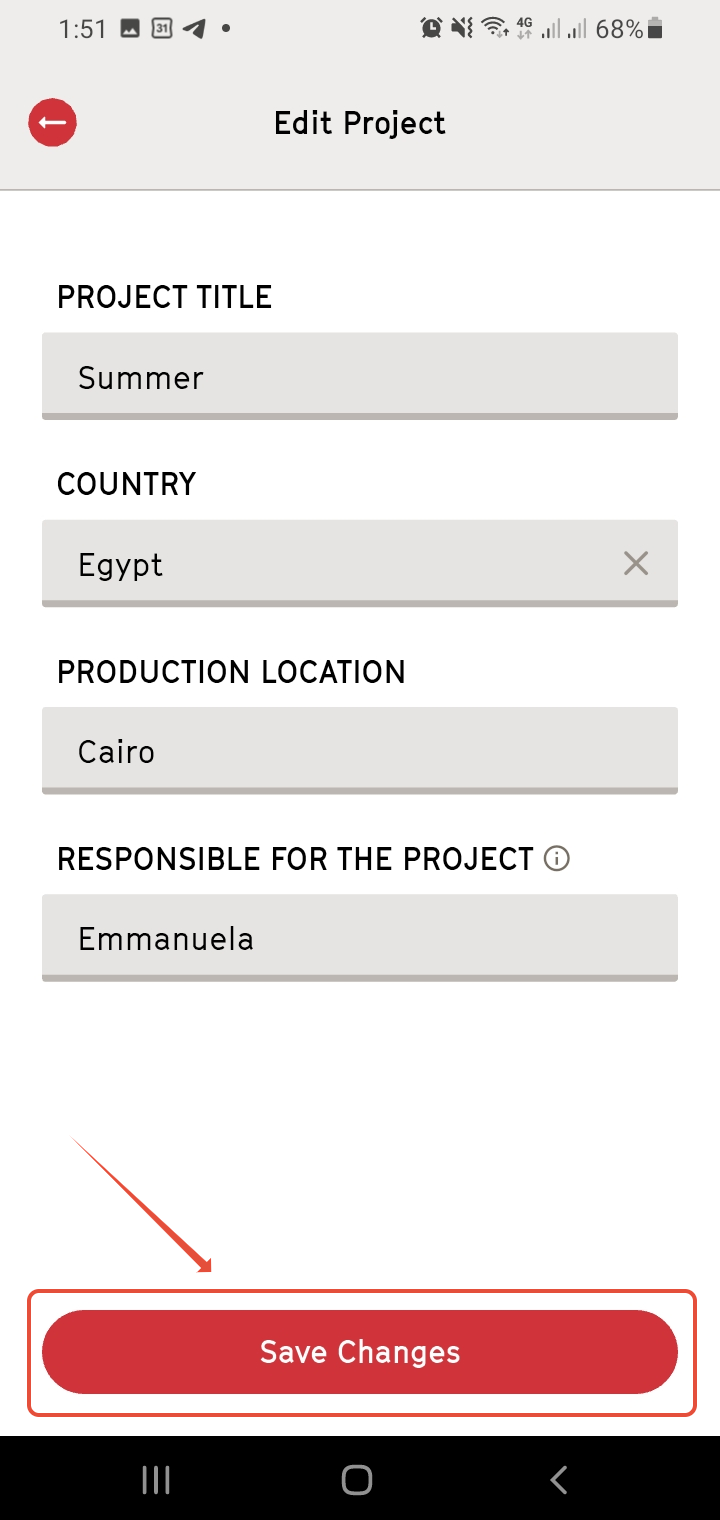
- Make the necessary changes.
- Click "Save changes"
Important Notes: Users can create projects on the app but cannot complete them. Project completion remains a controlled action and can only be performed by an Admin or Owner through the FairConsent Platform.
Need More Help?
For any questions or support, reach out us at customersupport@fairpicture.org
Was this article helpful?
That’s Great!
Thank you for your feedback
Sorry! We couldn't be helpful
Thank you for your feedback
Feedback sent
We appreciate your effort and will try to fix the article