Centralized Consent Projects - New Feature Announcement
Manage all your consent collection projects from one shared workspace
Managing consent across multiple sessions and teams is now easier with Centralized Consent Projects. This new feature gives your organization one shared workspace to create, manage, and monitor all consent collection activities while keeping full control over access and visibility.
Why we introduced this feature
Previously, consent projects were displayed together in the app in a mixed environment where personal and enterprise projects appeared side by side. This created several challenges for teams:
- Collectors had to close one project before opening another
- Working across multiple sessions simultaneously was difficult
- Organizations could not control who had access to specific projects
- Managing collected consents across teams became harder to organize
Centralized Consent Projects solves these issues by creating a cleaner and more structured workflow for both managers and collectors.
What’s included in Centralized Consent Projects
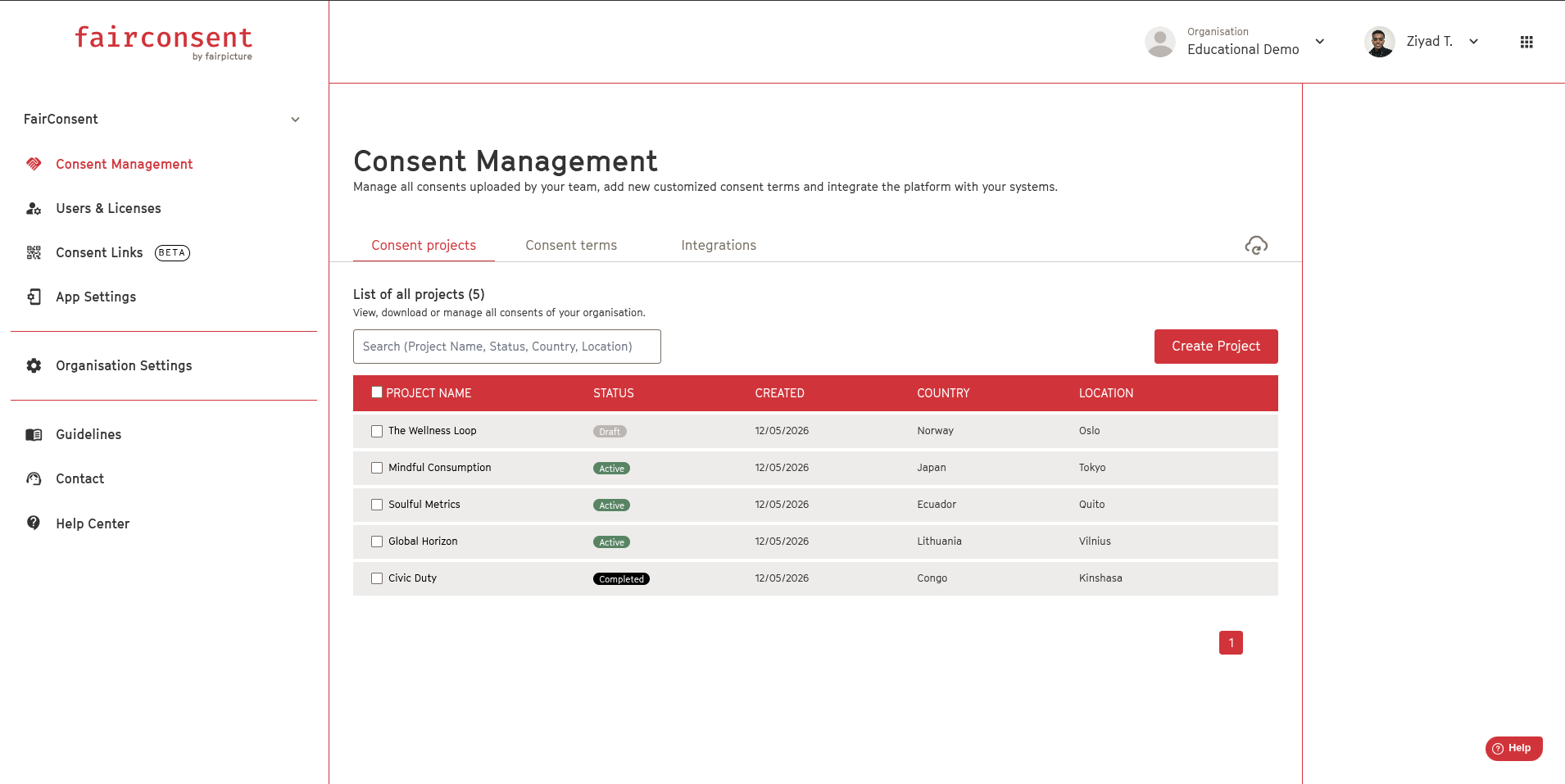
1. One shared workspace for your organization
All consent projects created under your organization are now stored in one centralized location.
This allows your entire team to work from the same source of truth without duplicate projects or confusion.
2. Collectors only see assigned projects
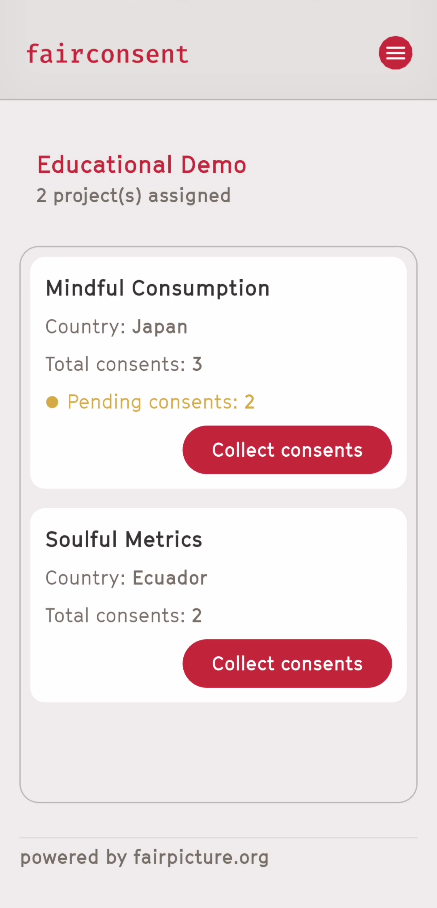
Collectors now only have access to the projects they are assigned to.
After activating the subscription in the Fairconsent app, they will only see:
- Projects assigned to them
- Their own personal projects separately
This keeps enterprise work organized and prevents accidental access to unrelated projects.
3. Work across multiple sessions without losing progress
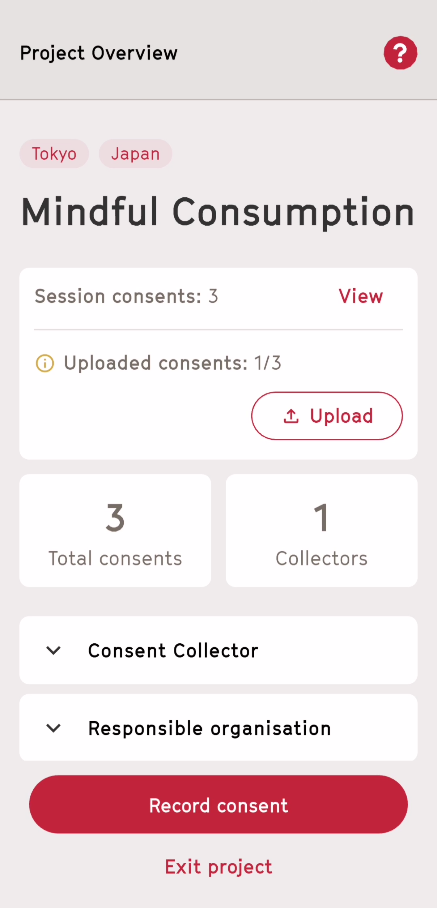
Collectors can now move between sessions and projects seamlessly.
Each consent collected during a session is:
- Automatically saved locally on the device
- Synced in the platform when the collectors upload the consent form the app
This ensures no progress is lost while working in the field.
4. Instant project access for collectors
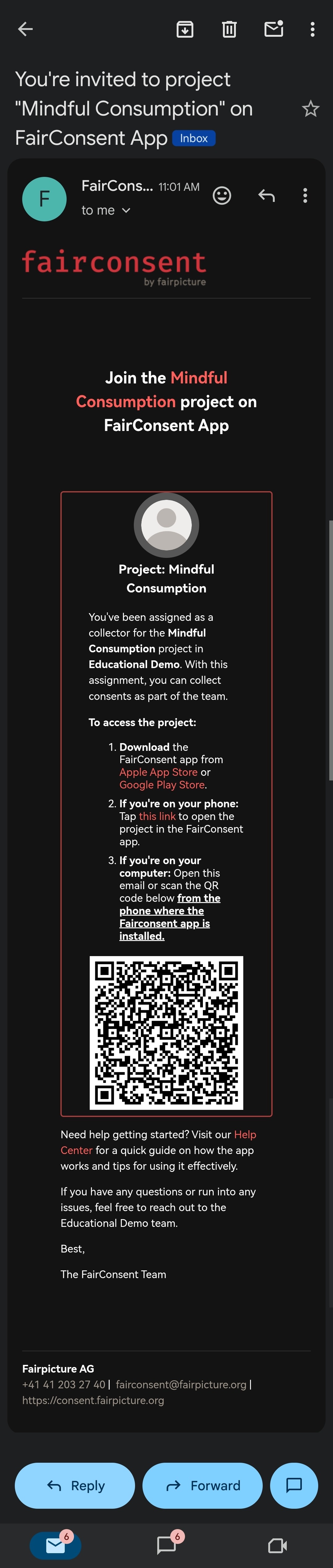
As soon as a project is created and saved, all assigned collectors automatically receive:
- An email invitation
- A direct access link
- A QR code for quick mobile access
Collectors can join immediately without requiring manual onboarding or additional setup.
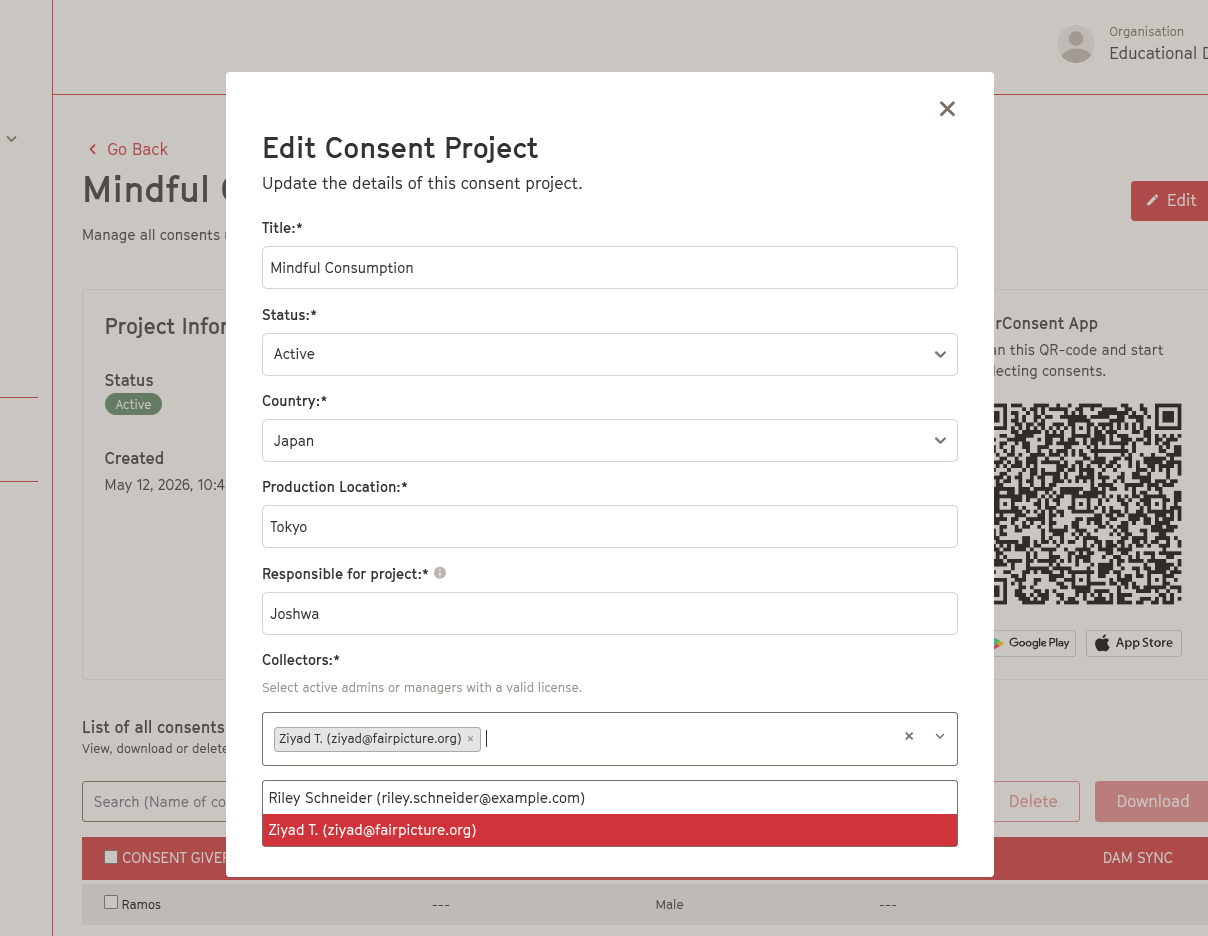
5. Full access control for project managers
Project managers, admins and owners can update collector access at any time.
You can:
- Add collectors to a project
- Remove collectors instantly
- Update access whenever team structures change
All changes are applied immediately.
6. Centralized consent records
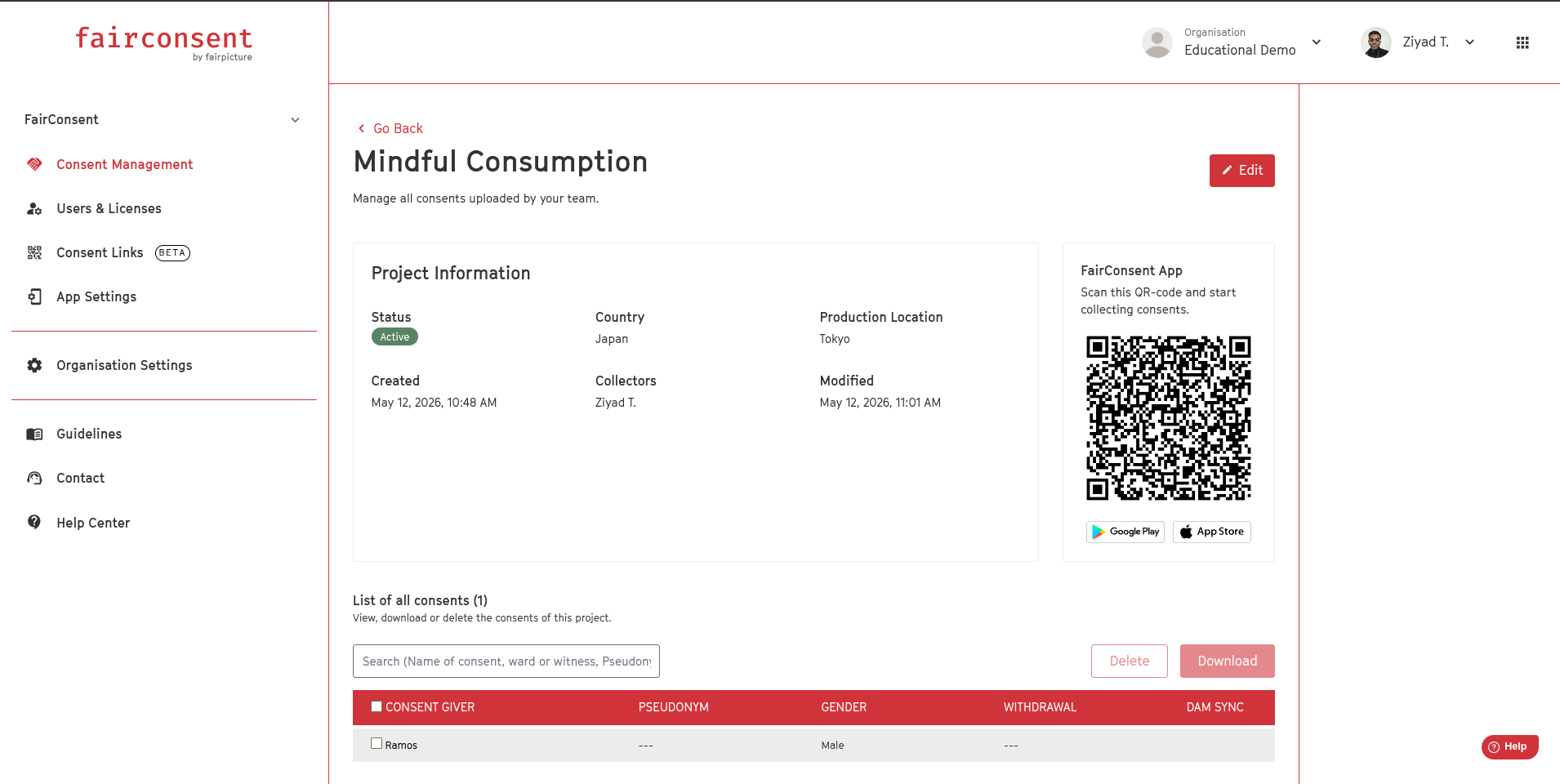
Every consent collected under a project is stored directly within the project page.
Consent records are:
- Searchable
- Organized
- Downloadable
Available information includes:
- Consent giver name
- Pseudonym
- Gender
- Withdrawal status
- DAM synchronization status
Getting started
Go to Consent Management → Create Project → assign your collectors. Your team is ready to collect in under a minute.
Want a quick walkthrough?
Watch the demo video here: https://getshared.com/dashboard/s/DSgDcGNSncUJ
For any questions or support, reach out to your FairConsent contact or email us at customersupport@fairpicture.org
Was this article helpful?
That’s Great!
Thank you for your feedback
Sorry! We couldn't be helpful
Thank you for your feedback
Feedback sent
We appreciate your effort and will try to fix the article