Upload and Manage Customized Consent Terms(Business)

Modified on Thu, 2 Jul at 11:48 AM

Customized consent terms allow you to tailor the consent process to meet your specific organizational or project needs. Once published, these terms are automatically synced with all collectors associated with your organization in FairConsent app.


Adding New Consent Terms


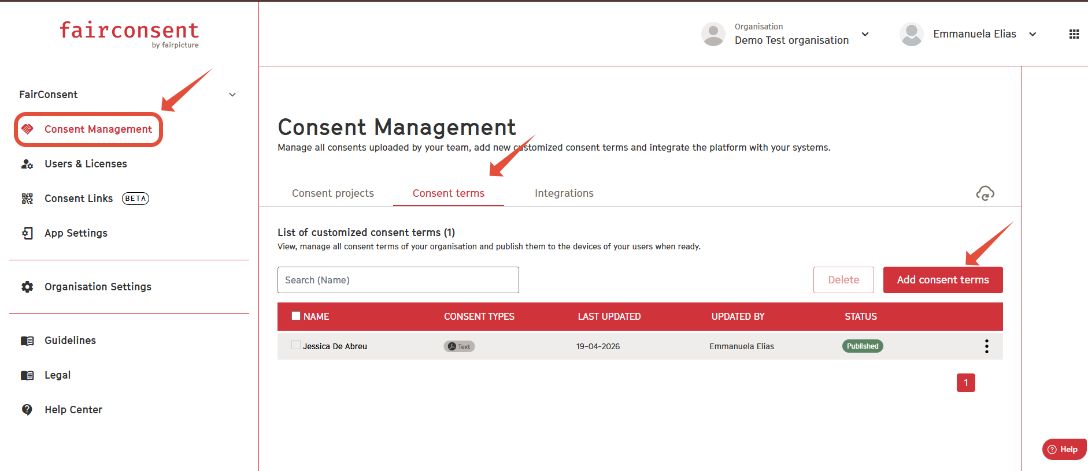
Navigate to Consent Management 
  • Click "Add Consent Terms"
  • This button is located on the top-right corner of the consent list.


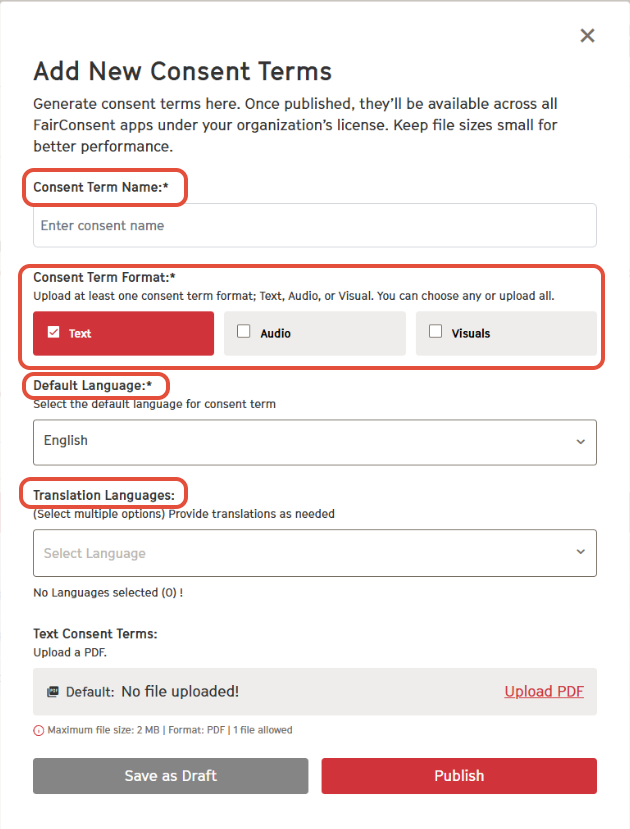
New Consents terms details


Consent Name
  • Provide a unique name for the consent terms.
Text Consent
  • Upload the consent text as a PDF.
Audio Consent (Optional):
  • Upload an audio file (e.g., MP3) 
Visual Consent (Optional): 
  • Upload images to visually explain the consent terms.
Default Language: 
  • Choose in what language the consent will be shown as default.
Translation Languages: 
  • Add other languages if you want to show the consent in multiple languages. 
Note: You need to add consent texts/audio files/visuals for every translation language that you add in your consent editor. 


View and Manage Consent Terms


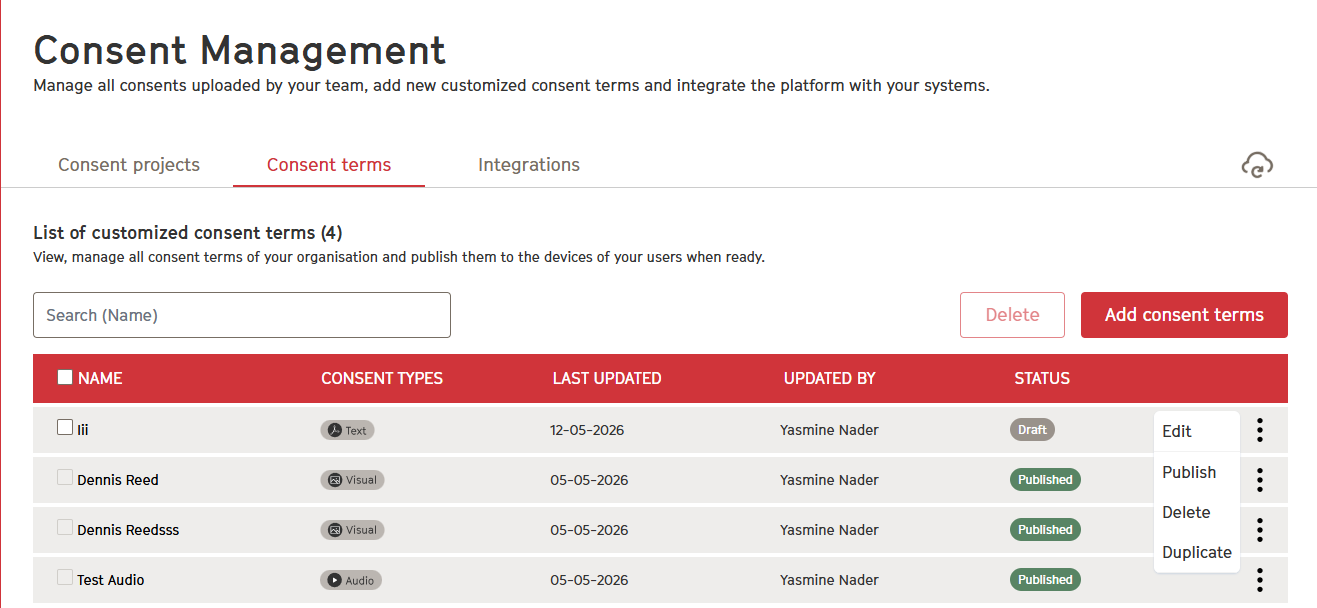
Navigate to Consent Terms
  • Go to the "Consent Terms" tab in the Consent Management section.
Search and Filter:
  •  Use the search bar to locate specific consent terms by name.
View Status
  • Check the status (e.g., Draft, Published, Archived) of your customized consent terms.

Either save as a draft or publish consent terms to sync to the collectors under your organization in the FairConsent app. 


Edit / Publish / Duplicate/ Delete Consent Terms


Note: Published consent terms cannot be edited and can only be archived. This is to ensure proper traceability of the consent terms used in the app. Please make sure your terms are fully reviewed and approved before publishing them.


Need More Help?

Contact customersupport@fairpicture.org


Was this article helpful?

That’s Great!

Thank you for your feedback

Sorry! We couldn't be helpful

Thank you for your feedback

Let us know how can we improve this article!

Select at least one of the reasons
CAPTCHA verification is required.

Feedback sent

We appreciate your effort and will try to fix the article